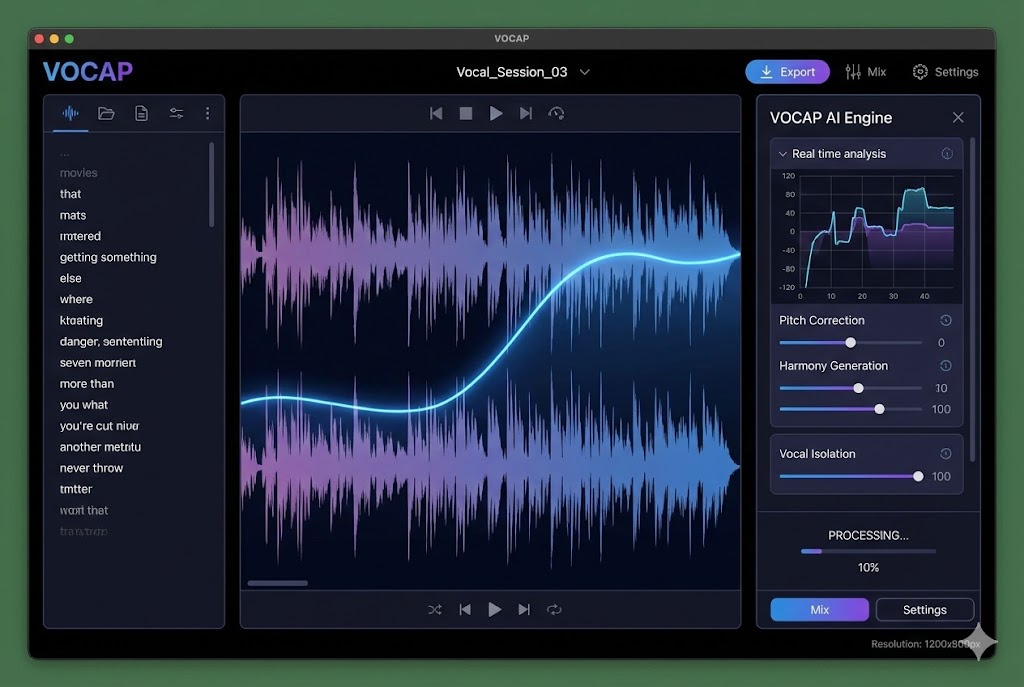
Imagine finishing a two-hour meeting and, instead of spending another 45 minutes drafting the minutes, having the transcription and a structured analysis ready in minutes — you just paste it into your template and review it. This is no longer science fiction: artificial intelligence has completely transformed how we document our work meetings.
Meeting minutes are one of the most important documents in any organization. They capture critical decisions, assign responsibilities, establish deadlines, and serve as a legal record of what was agreed. However, they are also one of the most tedious and time-consuming tasks in the modern work environment.
In this article you will discover how artificial intelligence can generate professional minutes automatically, what a quality minute should contain, how it compares with traditional methods, and why this technology is revolutionizing business productivity.
Table of Contents
- Why Meeting Minutes Are a Problem
- What Professional Meeting Minutes Should Contain
- Traditional Template vs AI-Generated Minutes
- How to Generate Automatic Minutes with VOCAP
- Types of Meetings and Their Minutes
- Real Example: AI-Generated Minutes
- Advantages of Automatic vs Manual Minutes
- Tips for More Effective Meeting Minutes
- Legal Aspects of Meeting Minutes
- Frequently Asked Questions
Why Meeting Minutes Are a Problem
Meeting minutes are essential, but their manual creation presents multiple challenges that affect organizational productivity and effectiveness.
The Hidden Cost of Manual Minutes
According to recent business productivity studies, the average professional attends 12 meetings per month. If we spend 30-45 minutes after each meeting drafting the minutes, we're talking about 6-9 hours monthly dedicated exclusively to this administrative task. Multiplied by the average hourly wage, the annual cost can exceed $6,000 per employee.
But the real cost goes beyond the time invested:
- Information loss: When we draft minutes hours or days after the meeting, many important details are already forgotten
- Inconsistency: Different people document meetings differently, creating confusion
- Delays: Minutes that arrive late lose their usefulness for immediate decision-making
- Lost decisions: 67% of decisions made in meetings are never properly documented
- Tasks without follow-up: Assigned responsibilities are forgotten when not clearly recorded
The Fatigue of Taking Notes During Meetings
Many organizations assign someone the role of "secretary" during meetings. This person has the difficult task of participating actively while trying to capture everything important. The result is predictable: they either participate less in the discussion, or take incomplete notes.
Relevant data: Organizational behavior studies demonstrate that when a person is taking manual notes, their active participation in the meeting is reduced by 42% and their ability to contribute ideas decreases significantly.
The Distribution and Accessibility Problem
Even when complete minutes are drafted, additional problems arise:
- Where should the minutes be stored so everyone can access them?
- How should they be shared with participants and other stakeholders?
- How do you follow up on assigned tasks?
- How do you search for specific decisions made in previous meetings?
These problems multiply when working in distributed teams, with participants in different time zones and locations.
What Professional Meeting Minutes Should Contain
Before talking about automation, it's essential to understand what elements professional and complete minutes should include. The quality of minutes is not measured by their length, but by their ability to capture essential information in a structured way.
Essential Elements of Minutes
1. Basic Information
All minutes should begin with fundamental data that contextualizes the meeting:
- Date and time: Complete date, start time and end time
- Location or platform: Physical location or videoconferencing tool used
- Type of meeting: Management committee, project meeting, board meeting, etc.
- Minutes number: For formal meetings, especially boards
2. Attendees and Participants
The complete list of participants is critical, especially for meetings with legal value:
- Attendees present: Full name and position of each participant
- Justified absences: People invited who could not attend
- Unjustified absences: In formal contexts like boards
- Special guests: External or non-regular participants
- Specific roles: Chair, secretary, moderator, etc.
3. Agenda and Objectives
The minutes should reflect the planned topics for the meeting:
- Numbered list of points to discuss
- Estimated time for each point (if applicable)
- Specific objectives of the meeting
- Points added during the meeting (other business)
4. Development and Topics Discussed
The main body of the minutes captures what was actually discussed:
- Summary by topic: Synopsis of each agenda point
- Main arguments: Key ideas and perspectives shared
- Relevant data and facts: Figures, reports or information presented
- Divergent opinions: When there is significant disagreement
Professional tip: Good minutes don't transcribe the conversation word for word, but synthesize the main ideas. The complete transcription is useful as reference, but the minutes should be an executive and actionable document.
5. Decisions and Agreements
This is the most critical section of any minutes:
- Decisions made: Each decision clearly formulated
- Voting: If there was voting, the detailed result
- Agreements reached: Commitments assumed by the group
- Deferred decisions: Issues that remain pending resolution
6. Tasks and Responsibilities
Actions derived from the meeting should be perfectly identified:
- Task description: What specifically needs to be done
- Assigned responsible party: Who is the person in charge
- Deadline: When it should be completed
- Dependencies: If the task depends on other actions
- Required resources: Budget, equipment, tools needed
7. Next Steps and Follow-up
- Date of next meeting
- Topics to address in the next session
- Review of pending tasks from previous meetings
- Follow-up channels between meetings
8. Signatures and Validation
For formal meetings, the minutes should include:
- Secretary's signature: Who drafts or validates the minutes
- Chair's signature: In board or shareholder meetings
- Approval date: When the minutes are officially validated
- Company seal: If legally required
Important difference: Operational meeting minutes are usually more informal and focused on decisions and tasks. Minutes of shareholder meetings, boards of directors or employee committees have specific legal requirements and must follow stricter formats.
Formats and Styles of Minutes
Different formats exist depending on the type of meeting and organizational culture:
- Narrative minutes: Describes topics in continuous paragraph format
- Structured minutes: Uses lists, bullets and clearly differentiated sections
- Decision minutes: Focuses solely on what was agreed and tasks
- Formal minutes: Follows strict legal protocols for official meetings
Prepare Professional Minutes in Minutes
VOCAP transcribes your meeting and extracts summary, decisions and tasks so you can paste them into your template. 15 free minutes at signup, no card needed.
Try VOCAP FreeTraditional Template vs AI-Generated Minutes
To truly understand the value of automatic minutes, let's compare the traditional process with the AI-based approach.
Traditional Manual Method
- Someone takes notes during the meeting while trying to participate
- After the meeting, spends 30-45 minutes drafting the minutes
- Many details are forgotten or captured incorrectly
- Format varies depending on who drafts the minutes
- Tasks and responsible parties can be ambiguous
- Minutes arrive late, sometimes days later
- Difficult to search information in old minutes
- No integration with task management tools
AI Method (VOCAP)
- Everyone participates fully without worrying about taking notes
- Transcription and analysis ready in 2-3 minutes per audio hour
- 95-98% transcription accuracy on clear audio
- Summary, key points, decisions and tasks already structured
- You paste the result into your template: consistent format
- The draft is ready right after the meeting
- Editable text: search it with Ctrl+F whenever you need
- Copy tasks into your task manager in a couple of minutes
Example: Traditional Minutes Template
This is the typical format many organizations use manually:
MEETING MINUTES
Date: [Fill manually]
Time: [Fill manually]
Location: [Fill manually]
Attendees: [List manually]
Agenda:
1. [Point 1 - complete]
2. [Point 2 - complete]
3. [Point 3 - complete]
Development:
[Manually write summary of each point...]
Decisions:
[List decisions made...]
Assigned tasks:
[Create table with tasks, responsible parties and dates...]
Next meeting:
[Indicate date and time...]
This approach requires someone to fill all these fields manually after the meeting, working from their notes (frequently incomplete) and their memory.
Example: AI-Generated Minutes
With VOCAP's transcription and analysis, you get almost all of this information ready to paste into your template:
MEETING MINUTES - Sprint Review (prepared with VOCAP)
Date: February 11, 2026
Time: 10:00 AM - 11:30 AM (1h 30min)
Location: Zoom (virtual meeting)
Type: Sprint Review - Product Team
Attendees (7): Ana Garcia (Product Manager), Carlos Lopez (Tech Lead), Maria Sanchez (UX Designer), Juan Martinez (Backend Developer), Laura Fernandez (Frontend Developer), Roberto Diaz (QA Lead), Carmen Ruiz (Marketing Manager)
Absentees: None
Meeting objectives:
1. Review current sprint progress
2. Analyze user testing results
3. Define priorities for next sprint
4. Resolve identified technical blockers
Executive summary:
87% of planned stories for the sprint were completed. User testing showed a satisfaction rate of 4.2/5. Three critical improvements were identified to be prioritized for the next sprint. The technical team resolved the performance issue in the search API.
[Continues with the remaining sections, completed from the transcription and analysis...]
The difference is clear: working from the transcription and AI analysis not only saves time, but produces more complete, accurate and useful minutes.
How to Generate Automatic Minutes with VOCAP
The process for creating professional minutes with artificial intelligence is surprisingly simple. VOCAP has been designed so anyone, without technical knowledge, can generate quality minutes in minutes.
Upload your meeting recording
Record the meeting with the native recording feature of Zoom, Teams or Meet, or with your phone if it's in person, and upload the file to VOCAP. All popular formats are accepted: MP3, WAV, M4A, MP4 and more, up to 150MB per file. Signing up gives you 15 free minutes with no card required.
AI transcribes and analyzes automatically
VOCAP transcribes the audio with 95-98% accuracy and Claude AI analyzes the content: executive summary, key points, decisions made and tasks detected. The whole process takes about 2-3 minutes per hour of audio, analysis included.
Copy the result into your minutes template
Copy the transcription and analysis with one click, or download them as text, and paste them into your minutes template in Word or Google Docs. The executive summary, decisions and tasks map directly onto the standard sections of any minutes format, so 90% of the drafting work is already done.
Review and complete the minutes
Add the formal details the audio doesn't contain (full attendee list, location, minutes number) and review names, figures and dates. Since everything is plain editable text, you can correct, reorganize or expand any section in your own editor.
Distribute the minutes
Once finished, share the document the way your team already works: email it to participants, upload it to Drive or SharePoint, or post it in your Teams/Slack channel. If you use a task manager (Asana, Trello, Jira), copying the identified tasks over takes a couple of minutes.
Practical tip: Prepare your own minutes template in Word or Google Docs for each type of recurring meeting (daily standup, monthly review, management committee). Pasting VOCAP's analysis into it takes seconds and keeps all your minutes consistent.
What VOCAP's Analysis Includes
With every transcription, Claude AI generates a structured analysis with everything you need for the minutes:
- Executive summary: The essence of the meeting in a few paragraphs, ready for the summary section
- Key points: The main topics discussed, organized
- Decisions made: The agreements detected in the conversation, listed
- Identified tasks: The action items mentioned during the meeting
- Full transcription: The complete text of the conversation as a verifiable reference
- 50+ languages: Automatic language detection, including English, Spanish, French, German, Italian and Portuguese
Start Preparing Automatic Minutes Today
Try VOCAP with 15 free minutes at signup, no credit card needed. Then pay only for what you use: packs from €1.99 and credits that never expire.
Start FreeTypes of Meetings and Their Minutes
Not all meetings are the same, and therefore, their minutes shouldn't be either. Adjust your minutes template to the type of meeting so the analysis fits naturally into the right structure.
Daily Standup
Typical duration: 15-30 minutes
Quick daily sync meetings in agile teams.
- What each person did yesterday
- What they will do today
- Blockers identified
- Help needed
Minutes focus: Concise, focused on tasks and blockers. Doesn't need high formality.
Sprint Review / Planning
Typical duration: 1-2 hours
Review of sprint achievements and planning of the next in agile methodologies.
- Stories completed vs planned
- Demos performed
- Feedback received
- Priorities for next sprint
- Estimates and commitments
Minutes focus: Detailed structure with metrics, prioritization decisions and team commitments.
Management Committee
Typical duration: 2-4 hours
Strategic meeting of leaders for important organizational decisions.
- KPI and results review
- Strategic decisions
- Budget approvals
- Critical initiatives and projects
- Risks and opportunities
Minutes focus: Formal and executive, with emphasis on strategic decisions and their justification.
Client Meeting
Typical duration: 30-90 minutes
Commercial meetings or project follow-up with external clients.
- Client needs
- Proposals presented
- Feedback and objections
- Agreements and conditions
- Next steps and deliverables
Minutes focus: Professional and oriented to clear commitments. Can serve as contractual document.
Board Meeting / Shareholders
Typical duration: 2-6 hours
Formal meetings with specific legal requirements according to corporate legislation.
- Convocation and quorum
- Account approval
- Formal voting
- Appointments and dismissals
- Statutory modifications
Minutes focus: Strict legal format with secretary and chair signature. Must comply with Commercial Code requirements.
Departmental Meeting
Typical duration: 1-2 hours
Periodic meetings of teams or departments for coordination and alignment.
- Project updates
- Problems and solutions
- Cross-area coordination
- Important announcements
- Activity planning
Minutes focus: Balance between formality and practicality, with clear identification of responsible parties and deadlines.
Sector Particularities
Each sector has its own conventions for minutes — worth keeping in mind when preparing your template:
- Legal sector: Minutes with required format for litigation, client meetings, and evidentiary documentation
- Healthcare sector: HIPAA/GDPR compliance in clinical meetings, medical committees, and case reviews
- Education: Faculty minutes, department meetings, school councils
- Public administration: Official format for plenaries, governing boards, and commissions
- NGOs and associations: Assembly minutes, board meetings, with transparency requirements
Real Example: AI-Generated Minutes
To illustrate what a minutes document prepared from VOCAP's transcription and analysis looks like, here is an example based on a typical project review meeting.
Meeting Minutes Prepared with VOCAP
MEETING MINUTES - CRM Project Quarterly Review
Meeting information
Date: Friday, February 7, 2026
Time: 2:00 PM - 4:15 PM (2h 15min)
Location: Meeting Room 3B / Zoom (hybrid)
Type: Project Review - Quarterly
Facilitator: Ana Garcia (Project Manager)
Attendees (9)
• Ana Garcia - Project Manager
• Carlos Lopez - CTO
• Maria Sanchez - Senior Developer
• Juan Martinez - Backend Developer
• Laura Fernandez - UX/UI Designer
• Roberto Diaz - QA Lead
• Carmen Ruiz - Marketing Manager
• Pedro Gomez - Sales Manager
• Sofia Torres - Customer Success Manager
Absentees
• Luis Navarro - CFO (justified absence - business trip)
Executive Summary
Q1 2026 progress of the new CRM implementation project was reviewed. 78% of planned functionalities were completed, with a 2-week delay from the original timeline due to requirement changes requested by the sales team. Budget remains within approved margin (93% executed). Three critical risks requiring immediate mitigation were identified and a 3-week extension in delivery deadline was approved to ensure quality. Sales team reported excellent feedback from the 12 beta users testing the system.
1. Review of Quarter Objectives
Ana Garcia presented objectives established in December 2025 and current status of each. Of 8 main objectives, 5 are completed, 2 in advanced progress and 1 requires rethinking due to changes in business priorities. Carlos Lopez highlighted that technical quality is superior to planned, which justifies the slight delay in deadlines.
2. Presentation of Developed Features
Maria Sanchez and Juan Martinez demonstrated new completed features: contact management with predictive AI, follow-up automation, email and calendar integration, customizable dashboard with 15 key metrics, and lead scoring system. Demo lasted 35 minutes with questions from sales team about specific use cases.
3. Beta User Feedback
Sofia Torres shared testing results from 12 users from the sales team who have been using the CRM for 4 weeks. Overall satisfaction: 4.3/5. Main positive comments: intuitive interface, excellent loading speed, very powerful search functionality. Identified improvement areas: need for more report filters, WhatsApp Business integration, more contextual mobile notifications.
4. Risk and Issue Analysis
Roberto Diaz presented updated risk registry. Three critical risks identified: (1) dependency on external API that had 2 outages in January, (2) need to migrate 180,000 records from old CRM with inconsistent data quality, (3) training of 45 salespeople must be completed before go-live. Responsible parties were assigned for each mitigation plan.
5. Budget and Resources
Carlos Lopez confirmed budget is controlled: 93,000 euros executed of 100,000 approved. Remaining 7% reserved for contingencies and final development month. No cost overruns anticipated. Hiring of additional temporary QA during final 3 weeks to accelerate final testing was approved, using contingency budget.
6. Go-Live Planning
Launch date was extensively discussed. Initially planned for February 28, agreed to postpone to March 21 to: complete additional integrations requested by sales, conduct more thorough load testing, better prepare team with 2 additional weeks of training. Pedro Gomez from sales team supported this decision prioritizing quality over speed.
Decisions Made
- Approve 3-week extension in go-live date (new deadline: March 21, 2026)
- Hire additional temporary QA for 3 weeks (cost: 4,500 euros from contingency budget)
- Prioritize WhatsApp Business integration development over other secondary features
- Implement data migration plan in 3 phases to reduce risk
- Extend pilot program with 8 additional beta users for 2 more weeks
- Approve additional budget of 2,000 euros for API monitoring tool
Assigned Tasks
- [Maria Sanchez] Develop WhatsApp Business API integration - Deadline: February 28, 2026
- [Roberto Diaz] Hire temporary QA and coordinate onboarding - Deadline: February 14, 2026
- [Juan Martinez] Implement fallback system for external APIs - Deadline: February 21, 2026
- [Sofia Torres] Organize 2 additional training sessions with sales team - Deadline: March 7, 2026
- [Carmen Ruiz] Update internal communication materials with new date - Deadline: February 12, 2026
- [Ana Garcia] Prepare detailed data migration plan in 3 phases - Deadline: February 18, 2026
- [Carlos Lopez] Evaluate and contract API monitoring tool - Deadline: February 15, 2026
- [Laura Fernandez] Design report filter improvements per user feedback - Deadline: February 25, 2026
Next Steps
• Weekly follow-up meeting: every Monday 10:00 AM (30 min)
• Next formal project review: March 6, 2026 (2 weeks before go-live)
• Demo for executive stakeholders: March 14, 2026
• Official go-live: March 21, 2026
Attached Documents
• Project status presentation (34 slides)
• Beta user feedback report (8 pages)
• Updated risk registry
• Revised project timeline
Minutes prepared from the transcription and analysis by: VOCAP
Reviewed and approved by: Ana Garcia (Project Manager)
Approval date: February 7, 2026
Distributed to: All attendees + Luis Navarro (CFO) + General Management
As you can see in this example, minutes prepared from the AI transcription and analysis include all necessary elements for a professional and useful document: complete context, executive summary, detailed development of each topic, clear decisions, tasks with specific responsible parties and deadlines, and well-defined next steps.
Advantages of Automatic vs Manual Minutes
We've seen how the technology works, but what are the concrete and measurable benefits of adopting automatic minutes in your organization?
1. Dramatic Time Savings
The most obvious but also most impactful benefit:
- From 45 minutes to about 10: transcription and analysis do the heavy lifting; you only paste, review and complete
- 6-9 hours monthly saved per person who holds meetings regularly
- 72-108 hours annually of productive time recovered
- Equivalent to 2-3 complete work weeks per year
For an organization of 50 people, this represents between 3,600 and 5,400 hours annually saved just on drafting minutes.
2. Superior Accuracy and Completeness
Human memory is limited. AI doesn't forget anything:
- 95-98% accuracy transcribing clear audio (vs the 60-70% coverage typical of manual notes)
- Zero lost decisions: Everything is recorded and structured
- Automatic task identification: No assigned responsibility is forgotten
- Exact textual quotes: Especially valuable in legal or compliance contexts
3. Full Participation in Meetings
When no one has to take notes manually:
- 42% more active participation according to behavioral studies
- Greater creativity and brainstorming: People think better when not distracted
- Better decision-making: Everyone can focus on content, not documenting
- Less bias: Minutes don't depend on note-taker's perspective
4. Consistency and Professionalism
All minutes follow the same quality standard:
- Uniform format: Using your own template, every minutes document looks the same regardless of who convenes the meeting
- Structured analysis: Summary, decisions and tasks always arrive organized the same way
- Professional image: Especially important in meetings with clients or external stakeholders
5. Accessibility and Search
Structured digital minutes are infinitely more useful:
- Searchable text: Since everything is text, you can search minutes and transcriptions with Ctrl+F in seconds
- Transcription as reference: If there's doubt about what was said, the full transcription resolves it
- History in your account: Your transcriptions stay available in VOCAP whenever you need them
- Your document system: The final minutes live in Drive, SharePoint or wherever your team already works
Do the math: If you run a one-hour weekly meeting, drafting the minutes manually costs you around 45 minutes each time — about 36 hours a year. With VOCAP (from €1/hour of audio on the largest pack), transcription and analysis are ready in minutes and you only review: you recover 25-30 hours a year for less than €60 in credits.
6. Fits Into Your Current Workflow
The result is plain text, so it adapts to the tools you already use:
- Your editor: Word, Google Docs, Notion — paste the analysis wherever you draft your minutes
- Your task manager: Copying the identified tasks into Asana, Trello or Jira takes a couple of minutes
- Your storage: Save the final minutes in Drive, SharePoint or your intranet as always
- No migrations: You don't change any tools or processes — VOCAP just removes the drafting work
7. Scalability Without Fixed Costs
Unlike the manual method, the AI-supported process scales perfectly:
- One meeting or a hundred: Effort is the same
- Pay per use: Credit packs from €1.99/hour down to €1/hour on the largest pack, with no subscriptions
- Credits never expire: Buy when you need, use whenever you want
8. Multilingualism and Global Teams
For international organizations:
- Transcription in over 50 languages with automatic detection
- Meetings in English, Spanish, French, German, Italian, Portuguese and many more
- Your language, your minutes: Transcribe in the meeting's language and prepare the minutes in whichever language your team uses, translating with your usual tools if needed
Calculate Your Personalized Savings
How much time and money would your organization save with automatic minutes? Use our transcription cost calculator.
See CalculatorTips for More Effective Meeting Minutes
Even with the best AI technology, there are practices that will maximize the usefulness of your meeting minutes.
Before the Meeting
- Define clear objectives: A meeting without objectives generates minutes without value. Establish what decisions should be made or what information should be shared.
- Prepare and share the agenda: A clear agenda helps structure both the meeting and resulting minutes better. Share it at least 24 hours in advance.
- Invite only necessary people: More participants doesn't mean better meeting. Invite only those who must make decisions or provide critical information.
- Set limited duration: Meetings of indefinite duration tend to ramble. Set a maximum time and respect it.
- Verify technology: If you're going to record the meeting, do a quick audio test before starting.
During the Meeting
- Start on time: Respect everyone's time by starting at the indicated time.
- Introduce participants: At the start, each person should briefly introduce themselves by name. This makes it much easier to attribute statements when you review the transcription.
- Follow the agenda: Stay focused on planned topics. If new topics arise, evaluate whether to address them now or schedule another meeting.
- Formulate decisions clearly: When a decision is made, verbalize it explicitly: "So, we have decided that..." This makes it easier for AI to identify it.
- Assign tasks clearly: Say explicitly: "John, can you take care of X by Friday the 15th?" Don't use ambiguous formulations like "it would be good if someone..."
- Avoid simultaneous interruptions: When multiple people talk at once, transcription quality suffers. A facilitator can manage speaking turns.
- Speak clearly and audibly: Especially in virtual meetings, ensure good audio. If someone has connection problems, summarize what was missed later.
After the Meeting
- Review generated minutes: Although AI is accurate, spend 5-10 minutes reviewing minutes before distribution. Verify names, dates and critical decisions.
- Customize if needed: Add context only you know, links to relevant documents, or clarifying notes.
- Distribute quickly: Send minutes the same day, ideally in the next 2-3 hours. Fresh information is more useful.
- Create tasks in your system: Move the tasks identified in the analysis into your task manager and assign them to their owners.
- Schedule next meeting: If a date was agreed, send calendar invitation immediately.
- Follow up: A few days before deadlines, remind responsible parties of pending tasks.
Format Best Practices
- Use numbered lists for decisions: Makes it easy to reference "decision #3 from 01/15 minutes".
- Visually highlight tasks: Use bold or color for responsible parties and deadlines.
- Include executive summary at start: For those who need key information in 30 seconds.
- Attach relevant documents: Presentations, reports or files mentioned during meeting.
- Use consistent reference system: If your organization has multiple projects or departments, include reference codes.
Advanced tip: Create specific templates for your recurring meetings in your own editor. For example, your daily standup will always have the same sections. Setting this up once saves time in each future meeting.
Common Mistakes to Avoid
- Minutes too long: Nobody reads 10-page minutes. Synthesize what's important.
- Ambiguous language: Avoid phrases like "the possibility was discussed..." Be specific: was it decided or not?
- Missing responsible parties: Each task MUST have a specific responsible party, never "the team" or "someone".
- Not specifying deadlines: "Soon" or "when possible" aren't deadlines. Always indicate specific dates.
- Forgetting context: Someone who didn't attend should be able to understand the minutes. Include minimum context.
- Not following up: Minutes aren't the end, they're the beginning. Value is in executing what was agreed.
Legal Aspects of Meeting Minutes
Minutes are not just internal coordination documents. In many contexts, they have legal and evidentiary value. It's essential to understand when minutes have legal implications and how to ensure their validity.
When Minutes Have Legal Value
In the US and most jurisdictions, minutes are legally binding documents in these cases:
- Shareholder Meetings: Required by Corporate Law. Must record decisions like account approval, bylaw modifications, director appointments.
- Boards of Directors: Official record of corporate governance body decisions.
- Stockholder Meetings: Especially in corporations and LLCs.
- Employee Committees: Worker representation minutes according to Labor Law.
- Client/supplier meetings: Can serve as proof of commercial agreements, especially if including conditions, prices or commitments.
- Regulated project team meetings: In sectors like pharma, finance or aerospace, where decisions must be documented for audits.
Legal Requirements for Formal Minutes
For minutes with legal value in the US, these elements are mandatory:
- Complete identification: Company name, address, EIN, meeting type
- Convocation: How and when the meeting was called
- Quorum: Percentage of capital or votes present
- Participants: Full names of attendees with their capital participation
- Chair and Secretary: Clearly identified
- Voting: Detailed result of each vote (for, against, abstentions)
- Resolutions: Drafted clearly and unambiguously
- Signatures: Secretary and Chair, with date
- Minutes Book: Minutes must be recorded in certified Minutes Book
Important: For shareholder meetings and boards of directors, minutes must be recorded in the company's Minutes Book, which must be certified. Digital minutes are legally valid since 2010, but must meet specific technical requirements for electronic signature and preservation.
Digital Minutes and Electronic Signature
US legislation recognizes the validity of digital minutes as long as they comply with:
- Authenticity: Through advanced or qualified electronic signature
- Integrity: Guarantee that content hasn't been altered
- Non-repudiation: Signer cannot later deny having signed
- Preservation: System guaranteeing long-term readability
Minutes you prepare in Word or export to PDF can be signed with any electronic signature tool that meets these requirements.
Evidentiary Value of AI-Generated Minutes
A frequent question is whether minutes automatically generated by AI have the same legal value as handwritten ones. The answer is yes, with nuances:
- Creation tool doesn't affect validity: What matters is content and signatures, not whether written by hand, with Word or with AI
- Transcription has evidentiary value: Transcribed audio recording can be used as evidence in legal proceedings
- Must be validated by responsible parties: Like any minutes, must be reviewed and signed by secretary/chair
- Traceability is superior: Keeping the original recording and its transcription as source material gives the minutes stronger backing than manual notes alone
GDPR and Data Protection
Minutes contain personal information (names, expressed opinions, decisions) and must comply with GDPR:
- Legal basis: Generally legitimate interest of organization or legal obligation compliance
- Data minimization: Include only relevant and necessary information
- Access limitation: Only authorized persons should access minutes
- Right of rectification: If a participant requests correction of inaccurate data
- Limited retention: Define how long they're kept (typically related to legal prescription: 4-6 years)
- Security: Encryption in transit and at rest, backups, access controls
VOCAP complies with GDPR: your files are encrypted, processed only to generate your transcription, and accessible solely from your account.
Sectors with Special Requirements
Some sectors have specific regulations on meeting documentation:
- Financial sector: MiFID II, anti-money laundering regulations
- Healthcare sector: HIPAA for clinical committees
- Pharma and medical devices: FDA 21 CFR Part 11, ISO 13485
- Public administration: Administrative Procedure Law
- Audit and consulting: Professional work documentation standards
Legal recommendation: If your organization generates minutes with legal value (meetings, boards), consult with your legal advisor to validate that the process and format meet specific requirements of your jurisdiction and sector. Since you prepare the final minutes yourself, you can adapt them to any required format.
Minutes Retention and Archiving
Minutes must be retained for specific periods depending on their type:
- Shareholder meeting minutes: Permanently (while company exists)
- Labor minutes: Minimum 4 years (labor prescription)
- Tax minutes: 4 years (general prescription) or 6 years (if can affect non-prescribed years)
- Contractual minutes: During contract validity plus prescription period
- Internal operational minutes: According to company's document retention policy
Keep the final minutes in your corporate document system according to these periods; your transcriptions also remain available in your VOCAP account history as a reference.
If your recordings aren't always studio quality, check out our guide on transcribing poor quality audio with AI. And if your minutes contain sensitive data, you'll find our guide on anonymizing transcripts under GDPR useful.
Frequently Asked Questions
What are automatic meeting minutes?
Automatic meeting minutes are documents prepared from the meeting audio with the help of artificial intelligence. The AI transcribes the conversation and extracts the key points, decisions made and tasks assigned; you then paste that result into your minutes template and complete the formal details.
How much time do you save with automatic minutes?
Automatic minutes generated by AI can save between 30-45 minutes per meeting. If we consider that a person attends an average of 12 meetings per month, this represents a saving of 6-9 hours monthly per person, time that can be dedicated to higher value tasks.
Do AI-generated minutes have legal validity?
Yes, AI-generated minutes have the same legal validity as manual ones, as long as they contain all required elements and are reviewed by a responsible person before signing. The technology is simply a drafting tool, but the responsibility lies with whoever validates and signs it.
What information should professional meeting minutes include?
Professional minutes should include: date and start/end time, location (physical or virtual), list of attendees and absentees, agenda, summary of each topic discussed, decisions and agreements reached, tasks assigned with responsible parties and deadlines, next steps and date of next meeting. For formal meetings, it should also include quorum, voting results and signature of the secretary.
Can I use VOCAP for meetings in different languages?
Yes, VOCAP transcribes over 50 languages with automatic detection, including English, Spanish, French, German, Italian and Portuguese. You can transcribe meetings in any of them and then prepare the minutes in your preferred language, which makes collaboration in international teams much easier.
Transform Your Meetings into Professional Minutes
Transcribe your first meeting with 15 free minutes at signup — no credit card required. Then pay only for what you use, with credits that never expire.
Start Free Now