Transcribe audio to text has become an essential task for professionals across all industries. Whether you need to convert an interview, a Zoom meeting, a podcast, or a recorded lecture, artificial intelligence has completely revolutionized this process. In this comprehensive guide, we explain everything you need to know to transcribe audio quickly, accurately, and affordably in 2026.
What is Audio Transcription?
Audio transcription is the process of converting spoken content (voice recordings, videos, podcasts, meetings) into written text. Traditionally, this work was done manually by professional transcribers, which meant a lengthy and expensive process.
Today, thanks to advances in artificial intelligence and speech recognition, it's possible to transcribe hours of audio in just minutes with remarkable accuracy. AI systems like OpenAI's Whisper have achieved accuracy levels that rival human transcription.
Key fact: Current AI transcription systems can achieve 95-99% accuracy under optimal audio conditions, processing one hour of recording in less than 10 minutes.
Methods to Transcribe Audio to Text
There are different approaches to convert audio to text. Each has its advantages depending on your needs:
1. Manual Transcription
The traditional method involves listening to the audio and typing the text word by word. While it offers maximum control, it's extremely slow (one hour of audio can take 4-6 hours to transcribe) and costly if you hire a professional.
2. Automatic Transcription with AI
AI transcription services process audio automatically using speech recognition models. This is the fastest and most cost-effective method, ideal for most use cases.
3. Hybrid Transcription
Combines AI speed with subsequent human review. Useful when you need 100% accuracy for legal or medical documents.
| Method | Time | Cost | Accuracy | Best for |
|---|---|---|---|---|
| Manual | 4-6h per hour of audio | High ($15-50/hour) | 99-100% | Legal, medical, research |
| AI (Recommended) | 5-10 min per hour | Low ($1-3/hour) | 95-99% | Meetings, interviews, podcasts |
| Hybrid | 1-2h per hour of audio | Medium ($5-15/hour) | 99-100% | Professional content, subtitles |
How to Transcribe Audio with VOCAP
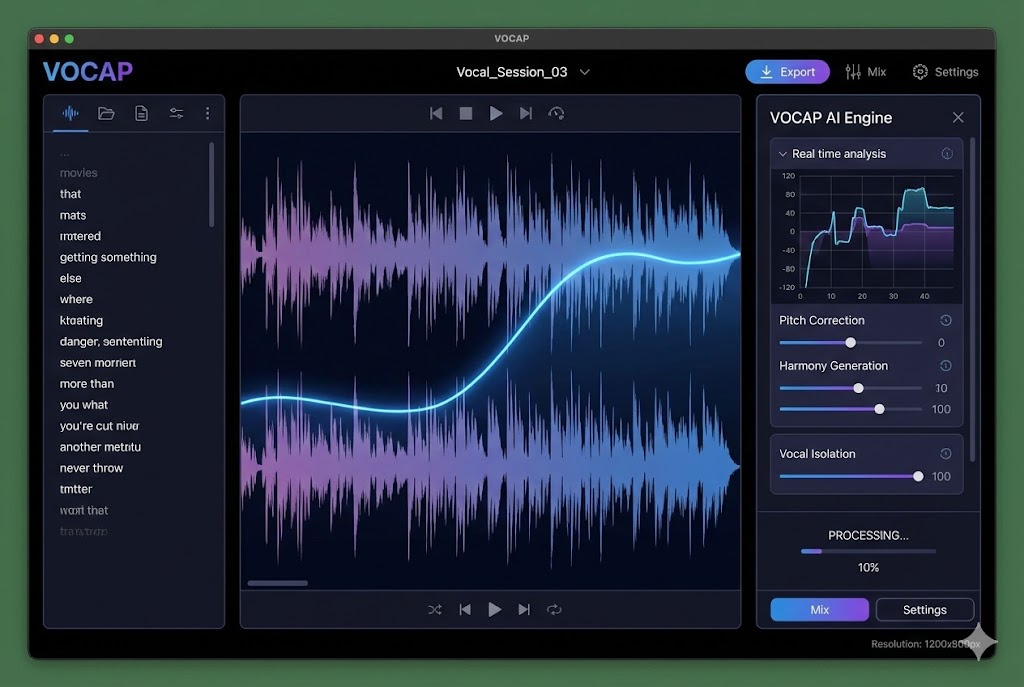
VOCAP is an automatic transcription platform that uses the most advanced AI models to convert your audio to text. The process is simple:
- Prepare your audio file. Make sure it's in a compatible format (MP3, WAV, M4A, MP4, etc.). If it's a meeting recording or a voice note, export it first from the corresponding app.
- Sign up for VOCAP. Create your free account at vocap.io. When you sign up you get 30 free transcription minutes, no credit card required.
- Upload your file. Simply drag the file to the upload area or click to select it. We accept MP3, WAV, M4A, MP4, WEBM, and many more formats.
- Wait for processing. Our AI analyzes the audio, identifies the language, and transcribes the content with high accuracy. One hour of audio is processed in approximately 5 minutes.
- Download or copy your transcript. Get the complete text along with an executive summary and a list of key points and tasks automatically extracted.
Try VOCAP for Free
Sign up and get 15 minutes of free transcription. No credit card required. Results in minutes.
Start Free NowSupported Audio Formats
A good transcription tool should accept all common formats. VOCAP supports:
- Audio: MP3, WAV, M4A, OGG, FLAC, AAC, WMA
- Video: MP4, MOV, AVI, WEBM, MKV
- Mobile recordings: Files from iPhone and Android voice recorder apps, and WhatsApp voice notes
- Meeting recordings: Zoom, Google Meet, Microsoft Teams recordings
You don't need to convert your files before uploading. The system automatically processes any format and extracts the audio for transcription.
Most Common Use Cases
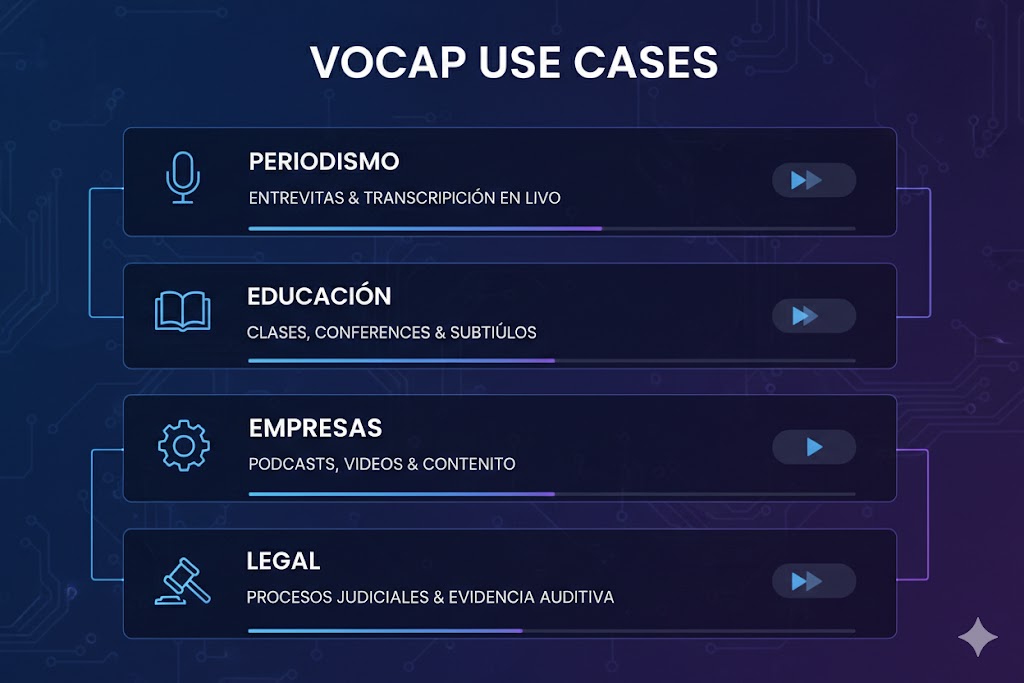
Audio transcription has applications across virtually every professional sector:
Journalism and Media
Journalists transcribe interviews to extract exact quotes and facilitate article writing. A 30-minute interview that used to take hours to transcribe is now ready in minutes.
Education and Training
Teachers and students transcribe classes and lectures to create study notes, accessible learning materials, and content for hearing-impaired students.
Business and Meetings
Teams transcribe Zoom and Google Meet calls to document decisions, create automatic meeting minutes, and ensure no one misses important information. Client meetings are documented with precision.
Content Creators
Podcasters and YouTubers transcribe their episodes to create subtitles, improve their content's SEO, and repurpose material in written format (blog posts, social media content).
Legal and Medical
Lawyers transcribe depositions and medical offices convert dictations into reports. In these cases, subsequent human review is recommended to ensure 100% accuracy. Have specific needs? Contact us.
Tips for Better Transcriptions
Transcription quality depends largely on the quality of the original audio. If your recording has noise, distant voices, or heavy compression, check out our guide to transcribing poor-quality audio first. For everything else, follow these tips:
- Use a good microphone: A quality microphone reduces background noise and captures voice clearly.
- Minimize ambient noise: Record in quiet spaces, away from air conditioning, traffic, or background conversations.
- Speak clearly: Clear pronunciation and moderate pace significantly improve accuracy.
- Avoid overlapping speakers: Interruptions and people talking over each other make transcription difficult.
- Use lossless formats when possible: WAV or FLAC offer better quality than highly compressed MP3s.
Frequently Asked Questions About Audio Transcription
How much does it cost to transcribe audio to text?
Prices vary by service. VOCAP offers transcription from €1/hour of audio, with 15 minutes free for new users. Services with human review can cost €1-3 per minute of audio. View VOCAP pricing.
What audio formats can I transcribe?
Most services accept MP3, WAV, M4A, MP4, WEBM, OGG, and other common audio and video formats. VOCAP supports over 15 different formats without requiring prior conversion.
How long does it take to transcribe audio?
With modern AI, one hour of audio is transcribed in approximately 5-10 minutes, depending on the service. Manual transcription takes 4-6 hours per hour of audio.
Is AI transcription accurate?
Yes, current systems achieve 95-99% accuracy with good quality audio. Factors like background noise, strong accents, or highly technical terminology can reduce accuracy.
Are my recordings confidential?
At VOCAP, your files are processed securely and automatically deleted after processing. We use encryption in transit and don't share your content with third parties.
Can I transcribe audio with poor sound quality?
Yes, although accuracy will drop depending on the issue: background noise, distant voices or heavy compression. Before transcribing, it's worth diagnosing the problem and, if possible, cleaning up the audio with free tools like Audacity. You'll find the full process in our guide to transcribing poor-quality audio.
Conclusion
Transcribing audio to text is no longer a tedious or expensive task. With the AI tools available in 2026, anyone can convert hours of recordings into editable text in minutes at a very affordable price.
If you need to transcribe meetings, interviews, lectures, or any other type of audio, we invite you to try VOCAP. With 15 free minutes, you can experience the quality and speed of the service with no commitment.